
Most aspiring online entrepreneurs don't fail because they lack ideas. They fail because their online business workflow looks like a pile of sticky notes, a flooded inbox, and three browser tabs all doing the same job badly. The result is wasted hours, dropped leads, and a business that feels harder to run the more it grows. This guide walks you through exactly what to set up, how to automate it, and how to verify it's actually working, without needing a technical background or a developer on speed dial.
Table of Contents
- What you need: essential components for a reliable online business workflow
- Step-by-step execution: creating and automating your online business workflow
- Troubleshooting common workflow pitfalls and how to avoid them
- Verifying success: metrics and signals to confirm your workflow efficiency
- Why focusing on operational intelligence beats chasing technology in workflows
- Discover mentorship to build your optimized online business workflow
- Frequently asked questions
Key Takeaways
| Point | Details |
|---|---|
| Invest in setup time | Spending 60-80 hours setting up workflows early saves substantial time later. |
| Map your process | Define intended operational logic to avoid scaling inefficient habits. |
| Use staging and routing | Automate lead and task assignment with clear lifecycle stages for predictability. |
| Test and monitor | Validate webhook data and automate error handling to keep workflows stable. |
| Measure success | Track completion rates and saved hours to verify workflow efficiency. |
What you need: essential components for a reliable online business workflow
To build an effective workflow, you first need to gather essential tools and understand setup requirements. Think of this phase as laying the foundation before you build the house. Skip it, and everything you automate later will crack under pressure.
The core of any solid digital business process is a CRM (Customer Relationship Management) tool that supports automation. This is the software that tracks your leads, customers, and deals. Beyond that, you need a lifecycle model, which is simply a map of the stages a customer moves through from first contact to purchase. Finally, you need integrations, meaning connections between your tools so data flows automatically instead of being copy-pasted by hand.
Here's what every new online entrepreneur should have in place before building any workflow:
- A CRM with automation support (contact tagging, pipeline stages, and trigger-based actions)
- An email marketing platform that connects to your CRM
- A lead capture tool such as a landing page or form builder
- A task management system to track what needs human attention
- A webhook-capable integration layer to connect apps that don't natively talk to each other
One thing most guides won't tell you: initial automation setup typically requires 60 to 80 hours spread over 8 weeks, with the heaviest effort front-loaded in the first two weeks. That's not a reason to delay. It's a reason to plan. Once that foundation is built, the system runs largely on its own.
Following a marketing automation checklist before you begin dramatically reduces the chance of missing critical setup steps. Think of it as a pre-flight checklist for a pilot. You wouldn't skip it.
| Component | Purpose | Minimum requirement |
|---|---|---|
| CRM software | Track contacts and automate follow-up | Automation triggers and pipeline stages |
| Email platform | Nurture leads with timed sequences | Tag-based segmentation |
| Lead capture tool | Collect contact data | Form-to-CRM integration |
| Integration layer | Connect apps and pass data | Webhook or native API support |
| Task manager | Handle manual exceptions | Notification and assignment features |
Step-by-step execution: creating and automating your online business workflow
With the essentials in place, here's how to build your workflow step by step for maximum efficiency.
The biggest mistake new entrepreneurs make is automating before mapping. If your manual process is broken, automating it just breaks things faster. Start on paper or a whiteboard. Draw every step a lead takes from the moment they find you to the moment they buy.
- Map your full customer journey before touching any software. Write down every action, decision point, and handoff.
- Define lifecycle stages such as "New Lead," "Engaged," "Proposal Sent," and "Customer." Each stage should trigger a specific action in your CRM.
- Build routing logic so leads are automatically assigned to the right follow-up sequence based on their behavior, such as clicking a link or filling out a form.
- Automate your email sequences for each stage. A new lead gets a welcome series. An engaged lead gets a case study. A stalled lead gets a re-engagement nudge.
- Set up lead scoring to prioritize who gets your personal attention. Assign points for actions like opening emails or visiting your pricing page.
- Configure notifications so you or your team get alerted only when human judgment is needed, not for every automated step.
- Test every trigger before going live. Send test data through each workflow path and confirm the right actions fire.
Pro Tip: CRM automation setup done right saves 5 to 10 hours weekly per sales rep on manual data handling, after just 2 to 3 days of core configuration. That's time you get back every single week, compounding as your business grows.
| Workflow phase | Manual time (before) | Automated time (after) |
|---|---|---|
| Lead assignment | 30 min/day | 0 min (automatic) |
| Follow-up emails | 45 min/day | 5 min review |
| Lead scoring | 1 hour/week | Real-time, automatic |
| Task creation | 20 min/day | Triggered instantly |
| Reporting | 2 hours/week | Dashboard, always live |

The goal of this phase isn't perfection. It's a working system you can observe, measure, and improve. Get version one running, then refine it based on real data.
Troubleshooting common workflow pitfalls and how to avoid them
Even the best workflows run into issues. Here's how to troubleshoot common problems smartly.
The most frequent failure point in any automated online task is bad data going into the system. A webhook (a real-time data transfer between two apps) fires with a missing field, and the entire automation stalls or routes incorrectly. You need to plan for this from day one.
Here are the most common pitfalls and how to prevent them:
- Missing webhook fields: Always set default values for fields that might be empty. If a contact's phone number is missing, the workflow should still continue rather than break.
- Unauthenticated triggers: Unauthorized webhook triggers can be caused by missing shared secret headers, which opens your system to errors or security risks. Always validate the source of incoming data.
- Polling trigger latency: Some tools check for new data every 15 minutes instead of reacting instantly. Use webhook-based triggers wherever possible to avoid delays that frustrate leads.
- Dirty records: Duplicate contacts, inconsistent naming, and missing lifecycle stage data will corrupt your reporting and misdirect your automations. Build deduplication rules before you scale.
- No exception handling: Every workflow needs a fallback path. If a trigger fails, someone should be notified automatically, not discover the problem three weeks later.
"Without proper authentication, webhooks can be triggered by unauthorized sources, risking errors or breaches." This is not a theoretical concern. It's the kind of silent failure that lets leads fall through the cracks for weeks before anyone notices.
Pro Tip: Run maximal payload tests during setup. Send a test webhook with every possible field populated, then send another with half the fields empty. If your workflow handles both gracefully, it's ready for real traffic.
Monitoring is not optional for effective business management. Set up a simple alert system that notifies you when a workflow hasn't fired in an expected window. Catching a broken automation on day one costs minutes. Catching it on day 30 costs customers.
Verifying success: metrics and signals to confirm your workflow efficiency
Once implemented, track these metrics to verify your workflow's success and spot improvement areas.
A workflow you can't measure is a workflow you can't trust. The good news is that most CRM and automation tools give you the data you need without any custom coding. You just have to know what to look for.
Here's what to track consistently:
- Time-to-completion: How long does a lead take to move from first contact to purchase? A working workflow shrinks this number over time.
- Error rate: How often do automations fail, skip a step, or fire incorrectly? Aim for under 2% of triggers resulting in errors.
- Weekly hours saved: Compare the time your team spent on manual tasks before automation versus after. This is your most motivating metric.
- Data hygiene score: Check weekly for duplicate records, contacts stuck in the wrong lifecycle stage, and missing required fields.
- Task routing accuracy: Are the right tasks going to the right people or sequences? Misrouted tasks are a sign of broken logic, not just bad luck.
One of the most powerful findings in workflow research: structured checklists raise automation project completion rates from 54% to 91%. That gap between 54% and 91% is the difference between a business that stalls and one that scales.
| Metric | Before workflow | After workflow |
|---|---|---|
| Lead response time | 4 to 24 hours | Under 5 minutes |
| Manual follow-up tasks | 15 to 20/day | 2 to 3/day |
| Workflow error rate | N/A | Under 2% |
| Weekly admin hours | 10 to 15 hours | 2 to 4 hours |
| Lead-to-customer rate | Inconsistent | Trackable and improving |
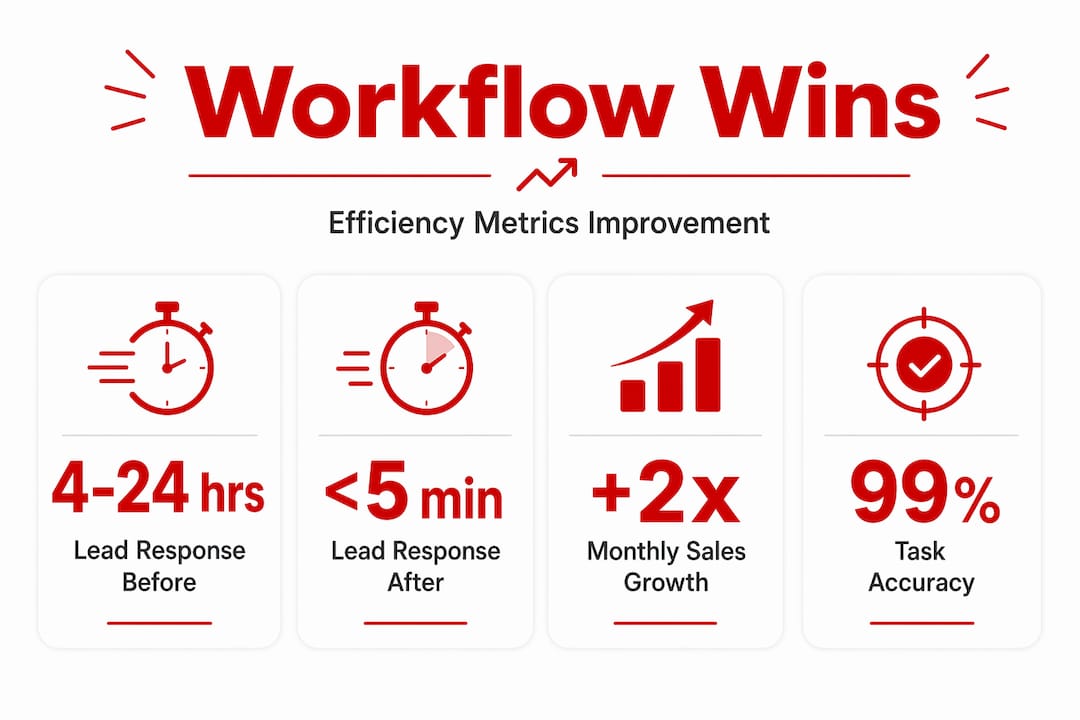
Review your workflow metrics monthly, not just when something breaks. The best online business growth workflow is one that improves incrementally based on real numbers, not gut feelings. If you want a proven framework to guide this process, the 6-Day Money Funnel Mentorship walks you through exactly how to build and measure these systems from scratch.
Why focusing on operational intelligence beats chasing technology in workflows
Here's the uncomfortable truth most workflow guides skip entirely: the tool is almost never the problem.
Entrepreneurs spend weeks researching which CRM to use, which automation platform is best, and whether they need a Zapier account or a native integration. Then they pick a tool, set it up halfway, and wonder why leads are still falling through the cracks. The problem was never the technology. It was the absence of clear operational logic before the technology was introduced.
Automation is not a technology problem but an operational intelligence problem that requires defining intended logic before selecting any tool. Read that again. The logic comes first. The tool is just the vehicle.
What does operational intelligence actually mean in practice? It means being able to answer questions like: What should happen when a lead doesn't open three emails in a row? Who is responsible for a deal that sits in the proposal stage for more than 10 days? What data do you need to make a routing decision, and where does that data come from? Most entrepreneurs have never written down the answers to these questions. So when they automate, they automate ambiguity, and the system faithfully replicates their confusion at scale.
The entrepreneurs who build workflows that actually hold up over time share one habit. They document their decision logic before they build anything. They treat workflow design like writing a policy manual, not like assembling furniture. Every trigger has a clear reason. Every action has a defined outcome. Every exception has a named owner.
This also creates something most solo entrepreneurs overlook: auditability. When something goes wrong, and it will, you need to be able to trace exactly what happened and why. A workflow built on documented logic gives you that. A workflow built by clicking buttons in a tool and hoping for the best gives you nothing but confusion.
How to streamline online operations isn't really about finding the right app. It's about knowing your own business process well enough to describe it to a machine. Once you can do that, any decent tool will work. Until you can do that, no tool will save you.
Discover mentorship to build your optimized online business workflow
Building an efficient workflow on your own is possible, but it's significantly faster with someone who has already done it at scale. If you've read this far, you're serious about building a digital business that runs on systems instead of scrambling.

The 6-Day Money Funnel Mentorship is built specifically for entrepreneurs who want to design workflows tailored to their business goals, implement automation with practical tools, and scale without hiring a team of developers. You'll work through proven frameworks, real checklists, and hands-on troubleshooting guidance from someone who generated $10 million with a single funnel. Spots are limited. If you're ready to stop guessing and start building systems that work, this is the next step.
Frequently asked questions
What is an online business workflow?
An online business workflow is a sequence of automated and manual tasks that organize how your digital business operates, designed to increase efficiency, reduce errors, and create consistent results across every customer interaction.
How much time does it take to set up marketing automation workflows initially?
Initial setup requires 60 to 80 hours over 8 weeks, with the heaviest effort in the first two weeks covering configuration, testing, and planning before any automation goes live.
How can I avoid missing fields errors in my automation triggers?
Use maximal payload testing by sending complete test data through every workflow path, apply defensive defaults for missing values, and map all required fields during initial setup rather than after problems appear.
Why is defining operational logic important before automating workflows?
Without clear intended logic, automation scales bad habits instead of fixing them, turning small process errors into large, consistent failures that are harder to diagnose and correct as your business grows.